Hardware · Home Assistant
Home Assistant Green: what it is and who should buy one
Home Assistant Green is the official pre-built hub from Nabu Casa: a small fanless box that arrives with Home Assistant OS already installed, so the setup is a power cable, an Ethernet cable and an onboarding wizard. It is aimed at people who want a working local smart home this afternoon rather than a weekend project. The trade is a closed, modest spec sheet — a Rockchip RK3566 with 4 GB of RAM and no radio of any kind inside — and that second part surprises more buyers than any other detail, because Green cannot talk to a Zigbee bulb or a Thread sensor on its own.
This page covers what the hardware actually is, what comes in the box, how setup runs, which add-ons you need for Zigbee, Thread, Matter and Z-Wave, and how Green compares with a Raspberry Pi build and with the now-discontinued Yellow. Specs are taken from Nabu Casa's product page and Home Assistant's installation docs; nothing here was benchmarked in our hands, and no prices are quoted — retail moves by region, so check the vendor and retailer pages.
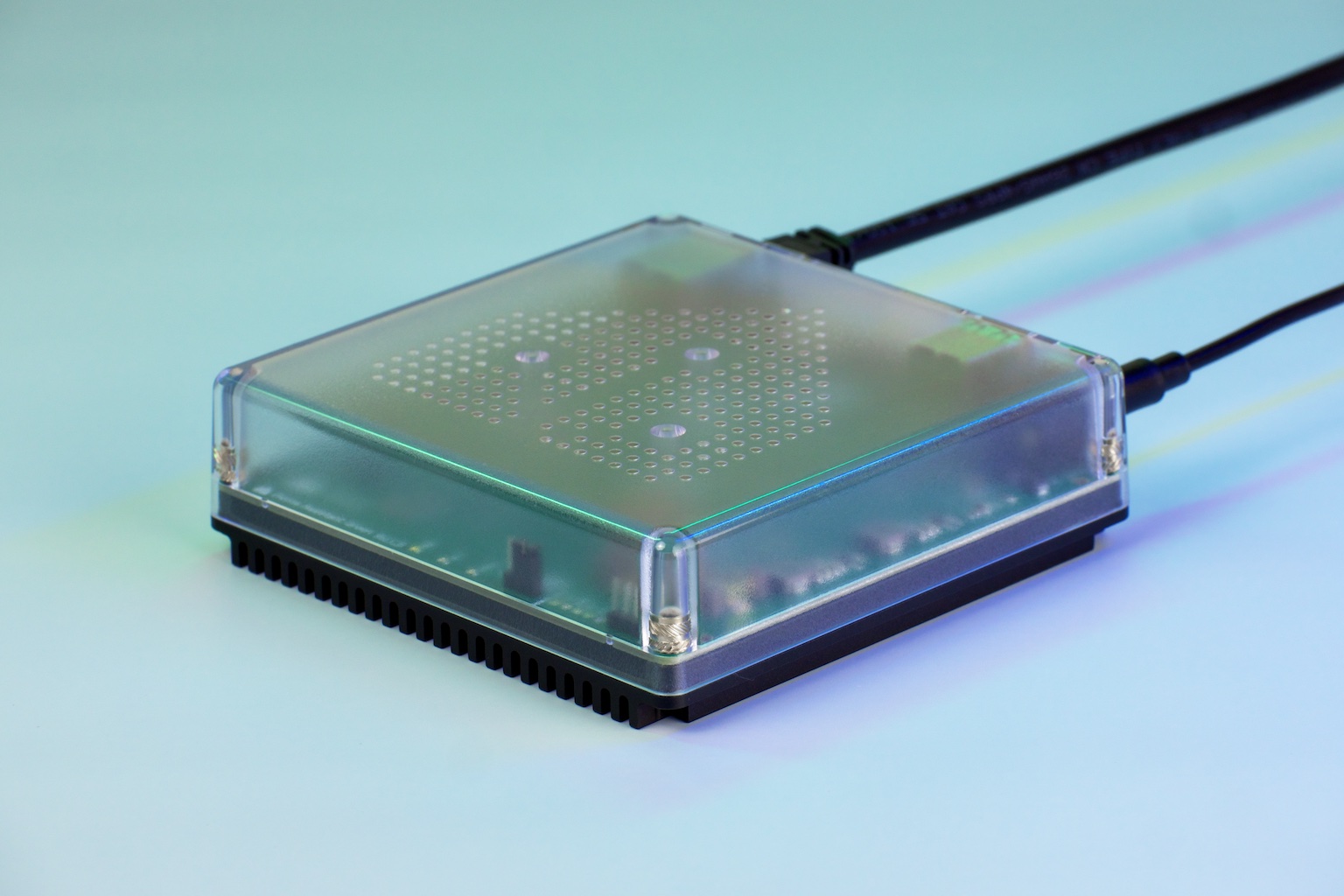
What Home Assistant Green is
Green is designed by Nabu Casa — the company behind Home Assistant — and engineered by Seeed Studio. The model number is NC-GREEN-1175, it carries CE and FCC marks, and it is made in the PRC. Nabu Casa describes it as "the easiest way to start using Home Assistant", and the installation docs list it as the path where you "start right away", with no assembly and nothing to flash.
The software is the standard Home Assistant OS image, not a locked-down appliance build. Everything you would do on any other install — HACS, add-ons, the file editor, SSH — is available, which is the main reason the box has stayed recommendable as the ecosystem has grown. If you are still working out what the software is for, our Home Assistant section covers the basics: one local server that holds your devices, automations and history.
In the box: the Green hub, a Gigabit Ethernet cable, a universal 12 V DC 1 A power supply with EU, US and UK plug adapters, a quick start guide, and the warranty and safety sheet. No microSD card, no USB radio, no HDMI cable — the HDMI port is for diagnostics, not for a display you live with.
Specifications
All figures below are from the official product page.
| Spec | Home Assistant Green |
|---|---|
| SoC | Rockchip RK3566, quad-core Arm Cortex-A55 at 1.8 GHz |
| Memory | 4 GB LPDDR4X |
| Storage | 32 GB eMMC |
| Networking | Single Gigabit Ethernet port; no Wi-Fi radio |
| USB | 2x USB 2.0 Type-A host, 5 V up to 2 A combined |
| Other ports | HDMI (diagnostic only), microSD (recovery only) |
| Power | 12 V 1 A over 5.5 x 2.1 mm DC barrel |
| Consumption | ~1.7 W idle at 12 V, ~3 W under load |
| Size and weight | 112 x 112 x 32 mm, 340 g |
| Cooling | Fanless; anodized aluminium heatsink in a polycarbonate shell |
| Environment | 0-40 °C, non-condensing, indoor use |
| Battery | Optional CR2032 for the RTC — not included |
Read that table with two things in mind. First, 4 GB of RAM and 32 GB of eMMC is a comfortable baseline for a normal house: a few dozen to a few hundred entities, a handful of add-ons, a year of recorder history. It is not a machine for running Frigate with several camera streams plus a local LLM; that workload wants x86 and a real SSD. Second, the 3 W load figure and the absence of a fan are the practical reasons people put Green in a closet or on a shelf and forget it — there is no noise and very little heat.
Setup: power, Ethernet, wizard
- Connect the Ethernet cable to your router and the power supply to the barrel jack. There is nothing to flash and no card to image.
- Internet access is required for the initial setup only. Nabu Casa states that Home Assistant itself keeps working locally afterwards.
- Finish onboarding in the Home Assistant mobile app or the web app. Once you are signed in, the system starts auto-discovering devices it can see on the network.
- If the name resolves, the box answers at
homeassistant.local— orhomeassistant.local:8123if port 80 is already taken by something else on the machine. - Set up backups early. The Backup integration creates and restores backups on every installation type, and automatic backups are configured from the interface rather than by hand-writing an automation.
The order matters a little: because Green ships with no radio, the first-run experience is onboarding plus network discovery, not device pairing. Zigbee and Z-Wave arrive later, when you plug in the adapters described below. Expect to spend more time on the first dashboard than on the hardware.
Radios: what Green does not have
This is the section to read before buying. Green is a computer, not a bridge. It has no Zigbee radio and no Thread radio inside.
- Zigbee and Thread both need a Home Assistant Connect ZBT-2 plugged into a USB-A port. That adapter uses a Silicon Labs MG24 radio behind an ESP32-S3 USB-serial bridge, USB-C powered at 5 V 500 mA, and speaks Zigbee 3.0 or Thread.
- One protocol per adapter. The ZBT-2 runs Zigbee or Thread, not both at once. If you want a Zigbee mesh and a Thread border router on the same box, that is two adapters.
- Matter over Wi-Fi or Ethernet works on Green once the Matter integration and Matter Server are set up — no radio required, because the device is already on your IP network. Matter over Thread needs a Thread border router first, which Home Assistant can become with a Thread-capable radio like the ZBT-2.
- Z-Wave needs a separate USB stick, for example the Connect ZWA-2, in the second USB-A port. Green has exactly two, and the pair is rated for 2 A combined, so a bus-powered SSD on one of them is a bad idea.
Budget for the adapter in the total cost. For Zigbee device choice and coordinator comparison, see the best Zigbee hub for Home Assistant; for the other mesh, the Z-Wave hub guide; for the IP-based standard, our Matter and Thread section.
Green versus a Raspberry Pi
The Pi route is the classic Home Assistant build and it is still well supported. Per the official installation docs, a Raspberry Pi 4 or 5 needs at minimum 2 GB of RAM, a proper power supply, a microSD card, and an Ethernet connection, and you flash Home Assistant OS onto the card with Raspberry Pi Imager before first boot. The docs are blunt about the usual failure points: flashing overwrites the card, phone chargers and computer USB ports may not deliver enough power, and you should install over Ethernet and only move to Wi-Fi afterwards. The current image referenced in that guide is HAOS 18.4.
Green removes every one of those steps, and it removes the SD card from the reliability conversation entirely by using 32 GB of eMMC. You also do not buy a case, a heatsink or a PSU separately, and the unit is fanless. What you give up is the Pi's GPIO header, its camera connector, and the ability to swap the board for a faster one later. If your plan involves soldering a sensor to GPIO pins, the Pi is the right answer and Green is not. If your plan involves 40 Zigbee devices and a dashboard, the Pi's flexibility is mostly unused, and Green gets you to the same place without a card that dies in eighteen months. The full walkthrough of the DIY path is in Home Assistant on a Raspberry Pi.
Green versus Yellow
Buyers searching for Green often find Yellow in the same results and assume it is the newer, better model. It is the older one. Nabu Casa's Yellow page now says the product "is no longer in production, but continues to receive software updates", and points buyers to Green; it shows as out of stock.
Yellow was a Compute Module 4 board with an M.2 slot for an SSD and Zigbee built in, with Thread listed as coming soon. Kits required you to supply your own CM4, and the PoE variant needed your own PoE source — which is why the total was rarely the sticker figure. For existing owners, Yellow remains a good machine and keeps getting updates. For anyone buying new, Green is the only pre-built Nabu Casa hub still sold, so the comparison is mostly academic unless you find a used Yellow at a price you like and are comfortable sourcing a CM4.
What to buy
Three paths, depending on what you already own. Links go to Amazon search results; HA News takes a commission on qualifying purchases.
- Home Assistant Green — the box this page is about. RK3566, 4 GB RAM, 32 GB eMMC, Gigabit Ethernet, two USB-A ports, no radio. Ships with Home Assistant OS installed. Home Assistant Green on Amazon
- Home Assistant Connect ZBT-2 — add this if you want Zigbee or Thread. Home Assistant discovers it for the ZHA or Thread integrations. One protocol at a time. Connect ZBT-2 on Amazon
- Raspberry Pi 4 or 5 starter kit — the DIY alternative, 2 GB of RAM minimum, plus a microSD card and a decent PSU; you flash HAOS 18.4 yourself. Raspberry Pi starter kit on Amazon
- x86-64 mini PC — the path for more headroom: camera detection, big databases, many add-ons. Home Assistant installs on generic x86-64 hardware, and you can see current boxes in our Devices section. Mini PCs on Amazon
Gotchas worth knowing up front
- Ethernet only. There is no Wi-Fi radio in Green. If the only place you can put it has no cable, plan a switch or powerline adapter, not a USB Wi-Fi dongle.
- Two USB ports, shared power. A Zigbee stick and a Z-Wave stick fill the machine. Use short extension cables to get the radios away from the chassis and away from USB 3 interference.
- No GPIO. Anything that needs to be wired directly to pins — a relay board, a DS18B20 string, a doorbell contact — is an ESPHome job instead. Green can host ESPHome; it cannot be the ESPHome device.
- Backups are yours to configure. The Backup integration is built in, but automatic backups are a setting you turn on, not a default you inherit. Do it before you build the dashboard you would hate to lose.
- Cloud is optional. Home Assistant runs locally and Green ships without a Nabu Casa subscription. Remote access and the voice-assistant cloud hooks are what the subscription adds; automation, dashboards and device control do not need it.
FAQ
Is the Home Assistant Green worth it compared with a Raspberry Pi?
Green trades flexibility for time. A Raspberry Pi 4 or 5 needs a power supply, a microSD card, a case and a HAOS image flashed with Raspberry Pi Imager before it runs Home Assistant. Green arrives with Home Assistant OS installed and boots from 32 GB of eMMC instead of a card, at the cost of the Pi's GPIO header and its upgrade path.
Does Home Assistant Green have Zigbee or Thread built in?
No. Green has no Zigbee or Thread radio. You add a Home Assistant Connect ZBT-2 over USB for either protocol, and it runs one of the two at a time, not both. Z-Wave needs a separate USB stick such as the Connect ZWA-2.
What do I need to add to the Home Assistant Green to control Zigbee devices?
One USB coordinator, such as the Connect ZBT-2, on a short extension cable away from USB 3 ports. Home Assistant usually discovers it automatically; otherwise add the Zigbee Home Automation integration and create a network.
What is Home Assistant, in one paragraph, and do I need a subscription?
Home Assistant is open-source home automation software that runs on your own hardware and keeps automations local. It is free; a Nabu Casa cloud subscription is optional and only buys remote access and voice-assistant cloud hooks. Green does not include a subscription.
Can I still buy the Home Assistant Yellow, and how does it differ from Green?
Nabu Casa now lists Yellow as no longer in production but still receiving software updates, and it is out of stock. Yellow was a Compute Module 4 board with an M.2 SSD slot and Zigbee built in; Green is the only pre-built Nabu Casa hub still sold new.
Does Home Assistant Green work without an internet connection?
Yes after setup. Nabu Casa says internet is needed for initial setup only, and that Home Assistant itself keeps running locally afterwards. Remote access from outside the house and cloud services such as Nabu Casa remote UI do need connectivity.
We publish a daily brief on Home Assistant, Zigbee, Z-Wave and Matter releases. Read the latest.
- Primary sources
- Home Assistant Green product page; Home Assistant installation docs; Raspberry Pi install guide; Home Assistant Connect ZBT-2; Home Assistant Yellow; Backup integration
As an Amazon Associate, HA News earns from qualifying purchases.